I wrote the first version of this post a while back, and reading it again this year made me wince a little. A few of the tools had changed their prices, one had changed its whole focus, and the list didn't really say who each tool was for. So I've rewritten it.
Here's the short answer. If you want to find YouTube channels so you can place your own ads on them, I'd use TubeTarget. It finds monetized channels and videos in your niche and gives you a CSV you can import straight into Google Ads. It's ours, we build it at Teknikforce, so weigh my opinion with that in mind. If your goal is sponsorships, creator research or growing your own channel, one of the other nine tools will probably suit you better, and I'll say which.
I took every price below from the vendor's own pricing page in early November 2026. Where I couldn't see a price, I've said "check site" instead of guessing. Prices move around a lot, so look again before you pay.
Why a channel finder beats plain YouTube search
YouTube search is built to show you videos, not channels. Type "budget camping gear" and you'll get a long list of clips, a lot of them from the same big creators, mixed with old uploads and channels that haven't posted in years.
That's fine if you just want something to watch. It's a pain if you're trying to build a list. Maybe you want fifty channels in your niche where your ad could run. Maybe you want ten mid-sized creators to sponsor. Either way, scrolling search results and copying links into a spreadsheet eats a whole afternoon.
A channel finder does the boring part. You give it a topic, it gives you channels, usually with filters for size, language, country or whether the channel is monetized. The tools differ a lot in what they filter on and what they cost, which is why I've split them up by job below.
What I looked at
I kept it simple and asked five things of each tool.
- What's it really for? Ad placements, sponsorships, channel growth and analytics are different jobs.
- How do you find channels? Keyword search, filters, lookalike channels or rankings.
- What can you do with the list? Export it, save it, or push it into an ad campaign.
- Is there a free way in? A free plan, a free search or a refund window.
- What does it cost to start? The lowest paid plan listed on the vendor's site.
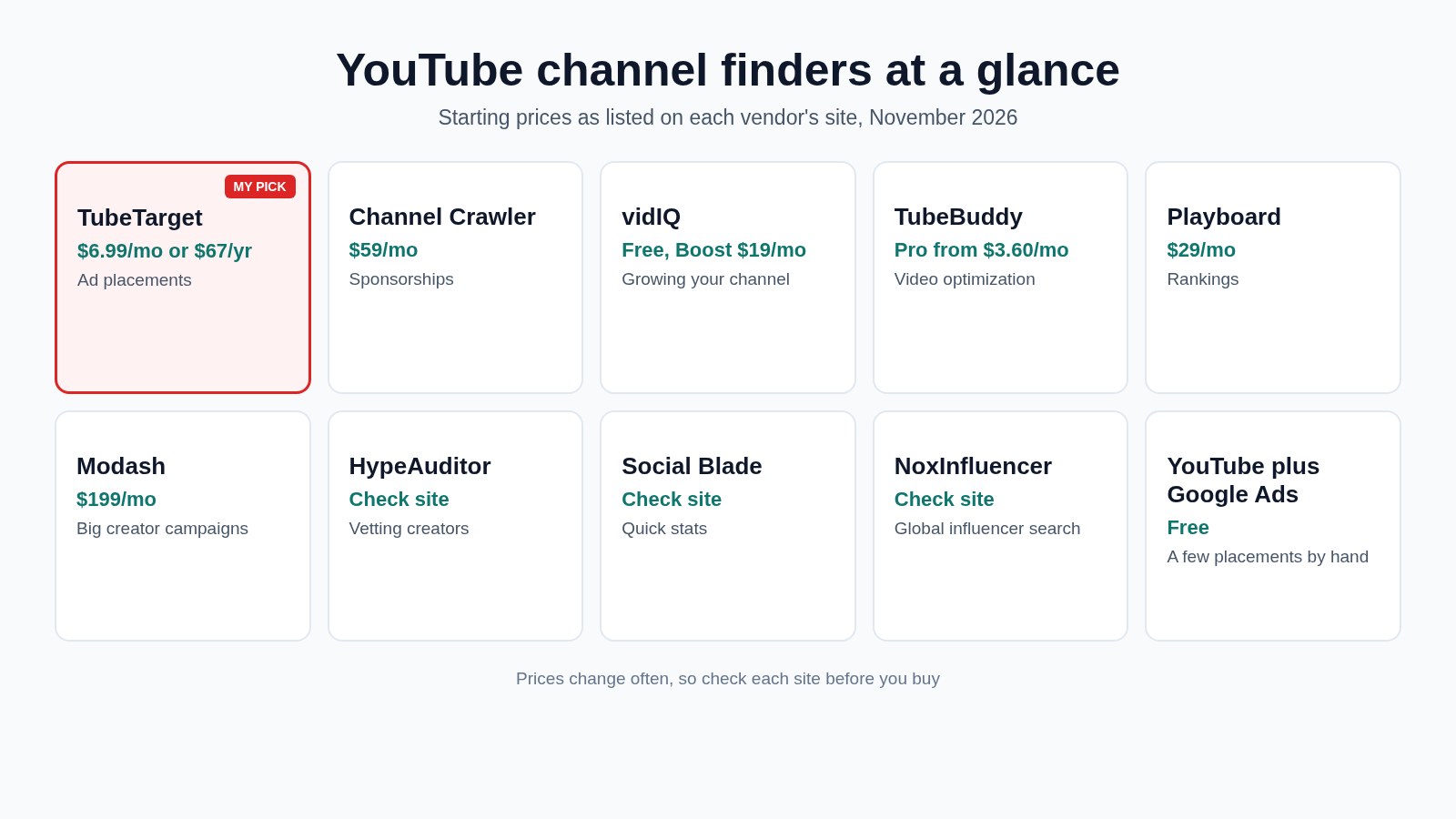
The comparison table
| Tool | Starting price | Best for | Free plan |
|---|---|---|---|
| TubeTarget | $6.99/month or $67/year | Finding monetized channels for YouTube ad placements | No, but 30 day refund |
| Channel Crawler | $59/month (Starter) | Finding channels to sponsor | Free search to try |
| vidIQ | $19/month (Boost) | Growing your own channel | Yes |
| TubeBuddy | Pro from $3.60/month as shown | Creators optimizing their videos | Check site |
| Playboard | $29/month (Basic) | Rankings and channel analytics | Yes, limited |
| Modash | $199/month (Essentials) | Influencer campaigns at scale | Free trial |
| HypeAuditor | Check site | Checking creator audience quality | Free starter features |
| Social Blade | Check site | Quick public stats on any channel | Yes |
| NoxInfluencer | Check site | Influencer search across countries | Check site |
| YouTube search plus Google Ads | Free | A handful of placements by hand | Yes |
The 10 best YouTube channel finder tools
1. TubeTarget
TubeTarget is the one I'd pick if you run YouTube ads. It's a web app, so it works on Windows, Mac or your phone, and it's built around one annoying problem.
On YouTube you can only place your ads on monetized channels and videos. When you search YouTube normally, most of what comes back isn't monetized, isn't related, or both. You end up checking channels one by one. TubeTarget does that sorting for you.
What it does, going by its own site.
- Finds monetized channels for your niche, so you're only looking at places your ads can actually run.
- Finds hundreds or even thousands of monetized videos for any niche or search term.
- Groups the channels and videos you pick into campaigns.
- Exports your list as a CSV that you import into Google Ads.
- Comes with YouTube ads training that walks you through setting up the campaigns.
It's made by Teknikforce and comes with a 30 day money back guarantee and live chat support six days a week.
Price. $6.99/month or $67/year.
Best for. Ecommerce sellers, affiliate marketers, agencies and local businesses that want cheap, targeted YouTube ad traffic.
What it isn't. It's not an influencer outreach tool. It won't find creator email addresses or manage sponsorship deals. If that's your goal, look at Channel Crawler or Modash.
2. Channel Crawler
Channel Crawler is a search engine just for YouTube channels. You filter by niche, language and engagement, then export channel lists or contact details for outreach. The higher plan adds sponsorship tracking, so you can see which brands sponsor which channels.
Price. Starter is $59/month, Power is $117/month, and Enterprise starts at $6,000 a year, per its pricing section.
Best for. Brands looking for creators to sponsor.
3. vidIQ
vidIQ is mostly a growth tool for YouTubers, but its competitor and keyword research is a decent way to spot channels in your space. If you make videos yourself, it does double duty.
Price. Free plan, then Boost at $19/month or $199/year and MAX at $49/month or $468/year, per vidIQ's pricing page.
Best for. Creators who want to find competitors while growing their own channel.
4. TubeBuddy
TubeBuddy sits inside YouTube as a browser extension and helps with tags, titles and search ranking. Like vidIQ, it's more about your own channel than about finding others, though its research tools show you who ranks for a topic.
Price. The pricing page showed Pro from $3.60/month and Legend at $23.19/month when I looked, with a toggle for yearly billing that saves 20%. Check TubeBuddy's pricing page for the exact figure in your currency.
Best for. Creators who already live inside YouTube Studio.
5. Playboard
Playboard is strong on rankings. You can browse top channels by country and category and pull channel and video reports, with history on the bigger plans.
Price. Basic $29/month, Standard $99/month, Business+ $199/month and Enterprise $599/month, per Playboard's plan page.
Best for. Researching which channels lead a category in a given country.

6. Modash
Modash is a full influencer marketing platform that covers YouTube along with other networks. It's built for running campaigns with lots of creators, including payments and affiliate tracking.
Price. Essentials is $199/month and the next plan is $499/month, per Modash's pricing page. There's a free trial.
Best for. Brands running creator campaigns with dozens of people.
7. HypeAuditor
HypeAuditor is known for checking whether a creator's audience is real. Its YouTube rankings and discovery tools help you find channels, and its reports help you avoid ones with fake engagement.
Price. Check site. The pricing page asks you to book a demo, though you can start with some free features.
Best for. Agencies that need to vet creators before paying them.
8. Social Blade
Social Blade is the old favourite for public channel stats. You can look up any channel, see its subscriber and view history, and browse top lists. It's handy for a quick sanity check on a channel you found elsewhere.
Price. Check site. Browsing is free, and I couldn't load its paid plan page to confirm current prices.
Best for. Quick checks on a channel's growth.
9. NoxInfluencer
NoxInfluencer lets you search YouTube creators by country, category and audience, with estimates of channel value and engagement.
Price. Check site. Its pricing page didn't load for me.
Best for. Influencer search across lots of countries.
10. YouTube search plus Google Ads
You don't strictly need a tool. You can search YouTube, open channels one at a time, and add the ones you like as placements in Google Ads.
Price. Free, apart from your ad spend.
Best for. Testing three or four placements before you commit to anything bigger. Past that, it gets slow fast.
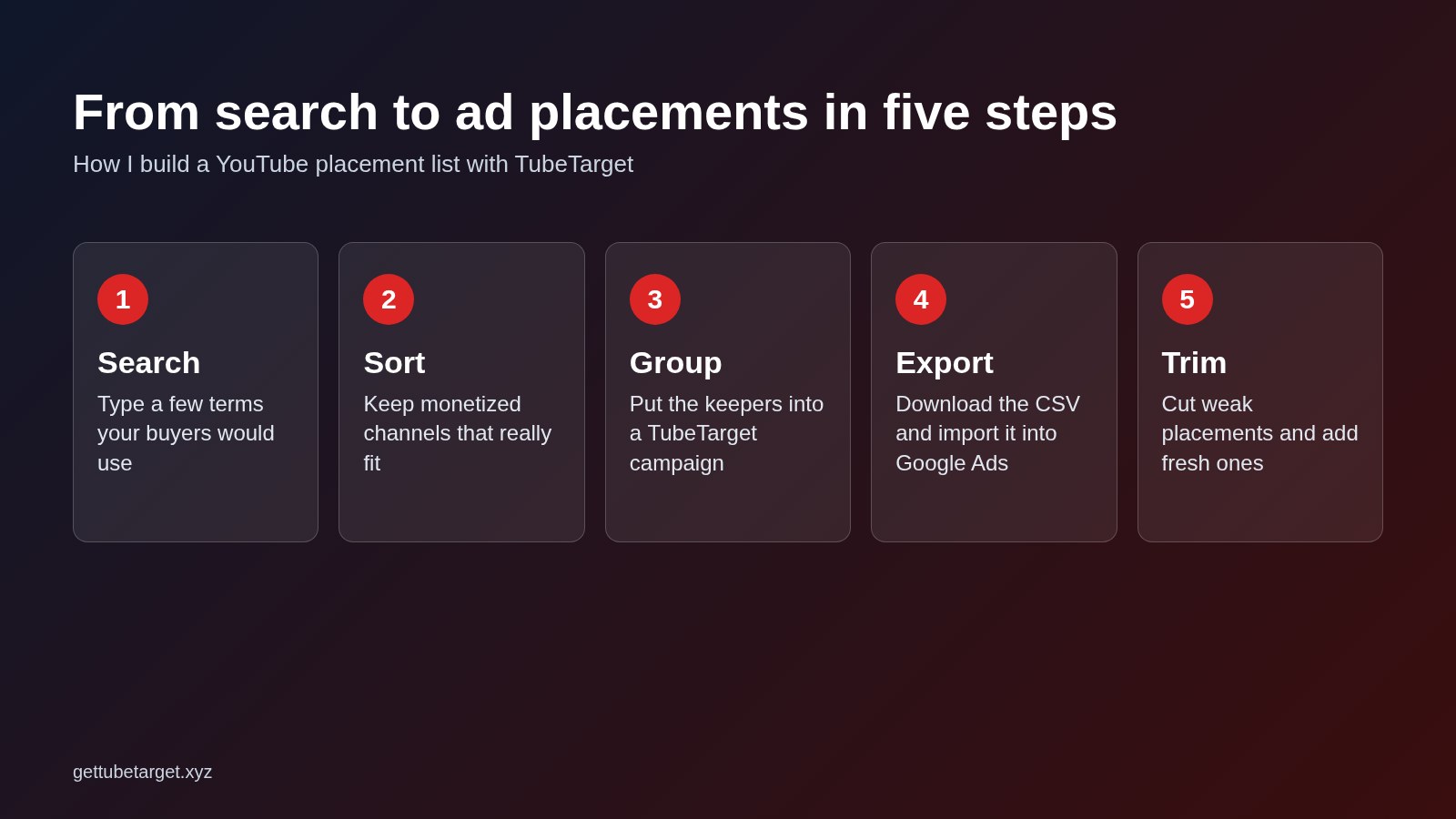
How I find channels for YouTube ad placements with TubeTarget
Let me walk through how I'd do this for a made-up example. Say I sell a foldable camping stove online and I want my video ad to show on channels where people are already watching camping content.
First, I log into TubeTarget and search for a few terms my buyers would use. Things like "ultralight camping gear", "car camping cooking" and "backpacking stove review". I don't stop at one term, because each one pulls up a slightly different set of channels.
Next, I go through the monetized channels and videos it finds. This is the bit that eats hours when you do it by hand. I skip anything that's only loosely related, like general travel vlogs, and keep the channels that talk about gear and cooking outdoors.
Then I put the keepers into a campaign inside TubeTarget, so all my placements for this product sit in one place.
After that, I export the campaign as a CSV and import it into Google Ads as my placement list. I set a small daily budget to start.
Finally, I wait a few days, look at which placements bring clicks and which don't, and cut the duds. Then I go back to TubeTarget, search a couple of new terms, and add fresh channels. It's a loop, not a one-off.
Doing that first pass by hand means opening channel after channel to check it. Having the list sorted for you is the main reason I'd pay for a tool here.

Which one should you pick?
It really comes down to what you'll do with the channels once you've found them.
- You want to run YouTube ads. Go with TubeTarget. It's the cheapest option on this list and the only one built around monetized placements and Google Ads.
- You want creators to sponsor. Channel Crawler or Modash.
- You want to grow your own channel. vidIQ or TubeBuddy.
- You want rankings and quick stats. Playboard or Social Blade.
- You need to vet creators for an agency. HypeAuditor.

A few common questions
What is a YouTube channel finder?
It's a tool that helps you find YouTube channels by topic, size, country or other filters, instead of searching one video at a time. Some are built for ads, some for sponsorships, and some for growing your own channel.
Can I place my ads on any YouTube channel I like?
No. Your ads can only run on channels and videos that are monetized. That's why a tool that filters for monetized channels saves so much time.
How much does TubeTarget cost?
TubeTarget is $6.99/month or $67/year, and it comes with a 30 day money back guarantee.
Do I need Google Ads to use TubeTarget?
Yes, if you want to run the ads. TubeTarget finds the channels and videos and exports them as a CSV, and you import that list into Google Ads to run your campaign.
Is there a free YouTube channel finder?
Sort of. vidIQ has a free plan, Social Blade is free to browse, and Channel Crawler lets you try a free search. You can also do it by hand with YouTube search. Free options are fine for a few channels, but they get slow when you need dozens.
Which tool is best for finding influencers to sponsor?
Channel Crawler is a good start for most brands. Modash is better if you're running big campaigns with lots of creators and want payments built in.
Can I use TubeTarget to run ads for clients?
Yes. The TubeTarget site says you can run ads for clients you find on Fiverr, Upwork or your own network.
Does TubeTarget work on a Mac?
It does. It's a web app, so it runs on Windows, Mac and mobile, anywhere you have a browser.
How often should I look for new channels?
For ad campaigns, I'd add new placements every week or two and drop the ones that don't perform. Channels go quiet, new ones pop up, and your best placements will change over time.
Are the prices in this post current?
They were when I checked the vendors' pages in early November 2026. Prices change, so please check each site before you buy.
Try TubeTarget for your next YouTube campaign
If you're running YouTube ads, or thinking about it, the hard part isn't the ad. It's knowing where to put it. TubeTarget finds monetized channels and videos in your niche and hands you a list ready for Google Ads.
It's $6.99/month or $67/year, and you've got 30 days to ask for a refund if it isn't for you.